The short answer
We grade every size by the dpi your photo reaches at it. 300 dpi or more is our excellent resolution grade, the figure our printer, Gelato, calls ideal for the sharpest output. At least 140 and below 300 dpi is graded acceptable. Below 140 dpi we block the size instead of selling it. Everything below explains how to land in the right band.
What DPI and PPI mean
PPI (pixels per inch) describes how many image pixels fit into each inch of the chosen print. DPI means printer dots per inch; our uploader uses the familiar dpi label for the image-resolution grade. The calculation below concerns image pixels, not the printer’s individual ink dots. The key point is that DPI is not a fixed property of your file. It changes the moment you choose a print size.
A photo has a fixed number of pixels. Print it small and those pixels pack tightly together, giving a high resolution grade. That still cannot establish whether the original photograph is sharp. Print the same file large and the pixels spread out, the DPI drops, and detail starts to soften. So "what DPI do I need" means "how big can I print this photo before it goes soft".
How DPI relates to print size
Work out the DPI for any size by dividing the photo's pixel width by the print's width in inches. A 6000-pixel-wide photo printed 20 inches wide gives 300 dpi. Print that same file 40 inches wide and you halve it to 150 dpi: still comfortably above our floor. Push to 60 inches and you drop to 100 dpi, which we won't allow.
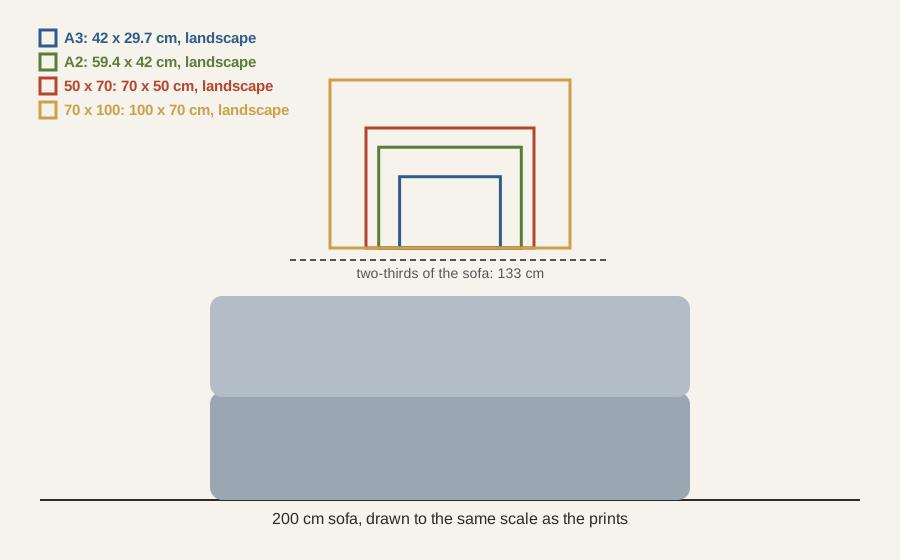
This is why the same photo can be graded excellent at A4 and blocked at 70x100 cm. Nothing about the file changed; only the size you asked for did. For a file below the resolution threshold, choose a smaller size or an original with more pixels. If the photograph itself is blurred, extra pixels will not repair it.
How big can I print my photo?
Megapixels tell you how many pixels a camera captured, and that sets a sensible ceiling on print size. The table below is guidance, not a hard rulebook: exact limits depend on your photo's precise pixel dimensions and how closely the piece will be viewed. Treat these as comfortable maximums at good quality.
| Camera | Comfortable at 300 dpi | Acceptable down to 140 dpi |
|---|---|---|
| 12 MP (typical phone) | around A4 | around A3, often A2 |
| 24 MP (mirrorless / DSLR) | around A3 | around A2 and 50×70 cm |
| 48 MP (recent phone / camera) | around A2 | around 70×100 cm, our largest |
Heavy cropping throws pixels away. Rather than guess, upload your photo: we measure the actual pixels and show a resolution grade for each size. Inspect the original photograph at full size for focus, motion blur and compression damage before choosing.
Does canvas need less resolution than a poster?
Not on our site. The same 140 dpi floor and the same 300 dpi top grade apply to canvas, paper and framed prints, so a file too small for one size is too small for it in all three.
Can I upscale a small photo?
Upscaling software can enlarge a file's pixel count, but it cannot add detail the camera never captured.
If you upscale to clear the 140 dpi floor on a size you're close to, judge the result at full magnification before you order. If you're starting from scratch, our art generator produces files already sized for large prints.
How /print calculates resolution grades
When you upload, we read your photo's true pixel dimensions and calculate the DPI for every size we offer. Each size is then graded: 300 dpi and above is graded excellent, at least 140 and below 300 is graded acceptable, and anything under 140 is below our resolution threshold and switched off. You see all of this before you pay.
The resolution check runs again at checkout, so a size below the 140 dpi threshold cannot be ordered. It does not assess the photograph’s focus or repair damaged detail. Upload your photo to see your grades.
Resolution is the numerical half of On the wall. The other half is physical: whether a piece can be too big for its wall, and how to start an astronomy wall from nothing.